


Featured Resource
New Book Gives District Leaders a Practical Framework for Improving Chronic Absenteeism—and a Comprehensive Look at State-Level Attendance Policies
Read More >

New Book Gives District Leaders a Practical Framework for Improving Chronic Absenteeism—and a Comprehensive Look at State-Level Attendance Policies
Read More >
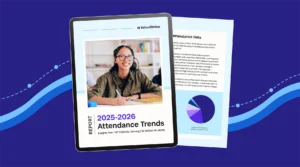
Key Attendance Trends from the 2025-26 School Year: Insights from 1.1M Students
Read More >

Welcome back to Coaching Roundup. This month we’re looking at all of the different ways educators and coaches can create fun and build relationships with Bitmojis in and out of classrooms. Learn how to get started with them today!
Looking for an engaging, personalized, and functional way to interact with your students? Stephanie Harris showcases how she uses Bitmoji classrooms to engage students in online learning environmentsâand shares how to create your own.
“Off-the-shelf learning management systems lack the flavor, creativity, and quirkiness that make so many of our classrooms exciting and welcoming spaces for learning. By contrast, a Bitmoji classroom helps educators bring the warmth and creativity of a classroom space into the virtual world in a way that is functional and fun for students.”
Kathy Perret highlights how educators can use Bitmoji classrooms to share resources, collaborate, and differentiate PD, plus how to get started on your own.
“We don’t know what the future holds for school in the fall. Will we be face to face with our students? Or will we be teaching remotely. Or both? Time will tell. . . . Therefore
digital transfer of materials will probably become the norm. Using a singular platform like Google Slides (or other tools) can minimize the confusion for students, teachers, and parents as they navigate the bumpy terrain ahead. The same will hold true for the resources Instructional Coaches share with teachers. As a professional learning facilitator, I use digital resources often.
I think there are many uses for the Bitmoji concept for coaches.”
Brandy Alexander promotes Bitmojis as a way to build relationships while creating a fun environment with your colleagues and school.
“Creating a positive coaching environment can seem daunting at first, especially on a new campus. Going in with some strategies like
Bitmojis can help communicate your openness and willingness to have fun and work alongside teachers to bring out the best in them and their teaching practices.”
Cassi Noack shares 16 ways Bitmojis can bring some excitement to your classroom.
“Using bitmoji is an easy way to add some pop culture into your classroom.
Students love it when you throw a little fun their way, and this is certainly an easy way to do so! . . . Kids are going to freak when they see a cartoon version of you commenting on their work!”
The Evolving Learner Team highlights all of the benefits that virtual Bitmoji classrooms can have for students, and how they can showcase teachers’ personalities.
“Teachers everywhere are finding that these spaces are creative outlets that have been described as ‘creative and fun,’ ‘something different,’ and even ‘therapeutic’! Students are highly engaged with a more dynamic and personalized platform- these spaces are a far cry from a daily work checklist!”
Shana Ramin provides a three-step process for creating your own Bitmoji classroom in Google Slides or PowerPoint.
“To get your Bitmoji in Google Slides,
download the Bitmoji Chrome extension. Then, click the Bitmoji icon on your browser bar, select the Bitmoji you want, and drag and drop it onto the slide. To get your Bitmoji in PowerPoint, click on the Chrome extension icon, right-click on the Bitmoji you want, and save it as an image â then you can insert that image into your PowerPoint slide.”
Kristin and Joe Merrill walk through how to create a virtual classroom using a student content-creation app called Buncee.
“Virtual Classrooms are a great way for educators to deliver content to students in a fun and engaging way.
Educators can add a Bitmoji into a virtual classroom to create an animated experience for students.“
 SchoolStatusSchoolStatus connects educators and families around the topics that matter most. The company partners with K–12 districts to improve attendance, engage families, and build trust so students can succeed. A recognized leader in data-driven attendance and family engagement solutions, SchoolStatus enables districts and educators to engage families with relevant, timely communications and proactive support on important topics including absenteeism, literacy progress, and overall student readiness. Today, SchoolStatus supports districts in all 50 states and serves more than 22 million students nationwide as a trusted partner in driving better student outcomes.
News, articles, and tips for meeting your district’s goals—delivered to your inbox.











Ready to learn more about our suite of solutions?


