


Featured Resource
New Book Gives District Leaders a Practical Framework for Improving Chronic Absenteeism—and a Comprehensive Look at State-Level Attendance Policies
Read More >

New Book Gives District Leaders a Practical Framework for Improving Chronic Absenteeism—and a Comprehensive Look at State-Level Attendance Policies
Read More >
Key Attendance Trends from the 2025-26 School Year: Insights from 1.1M Students
Read More >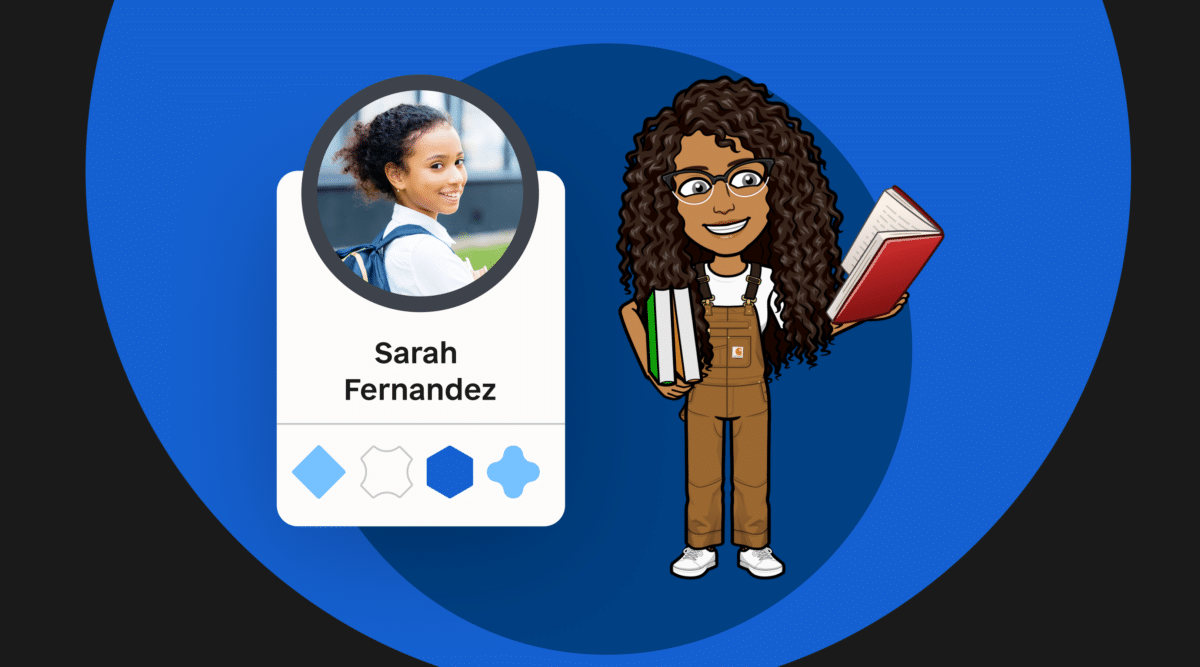

Looking for a fun, personalized, and functional way to interact with your students? Stephanie Harris, an English content coach from North Carolina, showcases the power of Bitmoji classrooms to engage students in online learning environments—and shares how to create your own!
In my spring semester, most of the coaching conversations I had focused on ways to engage students in an entirely online environment. Teachers were worried about students they could no longer see in person, and even more worried about the ones they weren’t seeing at all. They were searching for a way to humanize online learning.
Off-the-shelf learning management systems lack the flavor, creativity, and quirkiness that make so many of our classrooms exciting and welcoming spaces for learning. By contrast, a Bitmoji classroom helps educators bring the warmth and creativity of a classroom space into the virtual world in a way that is functional and fun for students.
A Bitmoji classroom is a Frankenstein’s monster of the digital world—part Hyperdoc, part virtual substitute for physical classroom space, and part slide deck on steroids. Ultimately, they link to resources that encourage independent exploration of ideas, help students stay organized and, most importantly, encourage meaningful communication between teachers and their students.
Bonus: Designing your own Bitmoji classroom allows you to showcase your own personality. For instance, my classroom has a coffee mug and a Winthrop pennant that represent me. I’ve also hidden lots of Easter eggs—for example, the radio links out to a school-appropriate playlist that students can enjoy while working.
Once you teach students how to interact with your virtual classroom, students can navigate independently and spend more time on their learning because they have a consistent, visually engaging place to find work. You can link your class announcements, video lessons, to-do lists, and assessments so that students know where to go and what to do. The rooms can change as needed, and even link to other rooms—think: a room to introduce a new text, or an escape room that requires students to practice skills.
Virtual classrooms can also function as choice boards. Teachers can spend time talking with students about their interests and strengths to help guide their choices. Using a virtual space allows students to click on and interact with work that is appropriate to their needs—whether it is through an extension activity or remediation support. The visual aspects of the classroom will be the same, but resources and links can take students to learning that is just right for them, helping provide students with differentiated work without their peers being aware.
Start by planning the purpose of your space and how it will function for your students. Will it serve as guidance for a special project or a daily agenda? Once you have this decided, you’ll start to create your space from the walls up. You can model the space to fit your needs, whether you choose your physical classroom, the setting of a novel, a historical site, or your home office.
Once your space is built, you can add yourself using your Bitmoji. You’ll need to build your Bitmoji on your cell phone and either send the images to your computer or install the Bitmoji Extension for Chrome.
Lastly, and this is important, you’ll want to add purposeful, clickable elements which link out to resources for your students to explore. Here are some ideas:
It may all seem a bit overwhelming at first, but I’ve created a step-by-step guide to help. It includes screenshots and text that will have you building in no time.
These directions can work for any imaginable space, with or without your Bitmoji!
As we look to the fall and anticipate continuing with some elements of virtual instruction, I hope that you will consider Bitmoji classrooms as another tool in your toolbox, one that adds personality and encourages students to access and engage with the content of your lessons!
Bonus resources: Here are some tips and things to keep in mind when getting started with Bitmoji classrooms.
Stephanie Harris is an English content coach for Iredell-Statesville Schools in North Carolina and teaches for their virtual school program. Prior to becoming a content coach, she served students as a high school English teacher. She speaks fluent Canvas and is always looking for new ways to improve instruction and engage students using technology and diverse resources.
 SchoolStatusSchoolStatus connects educators and families around the topics that matter most. The company partners with K–12 districts to improve attendance, engage families, and build trust so students can succeed. A recognized leader in data-driven attendance and family engagement solutions, SchoolStatus enables districts and educators to engage families with relevant, timely communications and proactive support on important topics including absenteeism, literacy progress, and overall student readiness. Today, SchoolStatus supports districts in all 50 states and serves more than 22 million students nationwide as a trusted partner in driving better student outcomes.
News, articles, and tips for meeting your district’s goals—delivered to your inbox.














Ready to learn more about our suite of solutions?


