Skip to content

New from SchoolStatus: Connect with families to accelerate student reading progress. Learn more >>

Topbar Close icon
Site Logo
  • Products
      Attend

      Attendance Interventions

      Data-Driven Attendance Insights 
      Attendance Interventions 
      Student Postcards and Letters

      Connect

      Personalized Communications

      Data-Driven Student Insights
      Mass Notifications
      Engagement Reports
      Two-Way Messaging
      School Newsletters
      Parent App

      Literacy

      Literacy-Focused Family Engagement

      Send Literacy Messages
      Share District Resources

      Forms & Flows

      Digital Forms & Payments

      Digital School Forms
      Secure School Payments
      Automated Workflows
      Digital Signatures

      Boost

      Teacher Observation & Growth

      Observations
      Coaching
      Goal Setting

      Sites

      Accessible Websites

      ADA-Compliant, No-Code Websites
      Social Media Integration

      Featured Resource

      SchoolStatus Launches Literacy Solution to Help Districts Engage Families in Improving Reading Outcomes

      Read More >
    • Menu for Mega Menu
  • Solutions

      Attendance Improvement

      Literacy Progress

      Family Engagement

      MTSS Data

      Actionable Insights

      Administrative Efficiency

      Educator Effectiveness

      quote_icon
      When we took away the clerical piece of attendance interventions, principals became more connected to students and families. They started to recognize the real-life barriers to attendance. Now, they’re connected to people and not paper.
      Dr. Margie Boulware
      Executive Director of Special Programs, Corsicana ISD
      quote_icon
      Research demonstrates that family support for language and literacy activities at home is positively related to children’s outcomes, including reading acquisition, language, vocabulary learning, conceptual development, and literacy achievement.
      Partnering with Families for Early Language and Literacy: Research-based Strategies for Early Childhood Educators – 2nd Edition
      B.J., Cunningham, P.D., Bachman, H.F. & Wellman, M.E.
      quote_icon
      Having a student’s data and family communication on a single screen means that we’re seeing issues sooner, and then can address those issues immediately.
      Elizabeth Lalor
      Assistant Superintendent, Galena Park ISD
      quote_icon
      For us, SchoolStatus is a data warehouse where we can see the whole child. If we’re doing an MTSS process on a student, I can see attendance, discipline, grades, test scores, and what kind of engagement educators have had with the parent — all in one place.
      Pamela Dillard
      Director of Technology, Greenville Public Schools
      quote_icon
      SchoolStatus is a powerhouse data and communication tool.
      Chad Shealy
      Superintendent, Vicksburg Warren School District
      quote_icon
      We’ve saved hundreds of hours of staff time, and I’m sure many more for our parent community. By digitizing and automating everything through [SchoolStatus Forms & Flows], there’s no more populating information from the DOE into forms by hand.
      Renny Fong
      Principal at PS 130 Hernando De Soto (Manhattan)
      quote_icon
      [SchoolStatus Boost: Inspire] has played a huge role in our continuous learning and coaching process, which has led to the observed professional growth of our teachers.
      Josh Snyder
      Director of Learning, Wahoo Public Schools
    • Menu for Mega Menu
  • Who It’s For

      Superintendents

      District Leaders

      School Leaders

      Educators & Staff

      Families

      quote_icon
      SchoolStatus has provided us a tool to make communication easier, more transparent, and quantifiable.
      Dr. Ron Brown
      Former Superintendent, Lumpkin County Schools
      quote_icon
      We’ve seen an over 50% decrease in chronic absenteeism, which is the statewide goal. We’re already there, in just one year of work.
      Jessica Hull
      Executive Director of Communication and Community Engagement, Roseville City School District
      quote_icon
      The help [SchoolStatus] gave us was amazing; I’ve never before received help like that from any company. Honestly, we feel like we want to stay with [SchoolStatus] forever.
      Dina Testa
      Assistant Principal, Intermediate School 7 at NYCDOE
      quote_icon
      Everyone wins when you stay in the loop, and SchoolStatus Connect really helped me make that happen while also saving me time.
      Ellen Zissis
      First Grade Teacher, Chartiers Valley Primary School
      quote_icon
      Our families now feel that they’re not alone. They know we want to talk with them. That’s why we’re using SchoolStatus Connect.
      Maureen Brown
      Principal and Director of Outreach, Dove Schools
    • Menu for Mega Menu
  • Resources

      Resource Library

      News & Press

      Blog

      Case Studies

      eBooks

      Guides & Playbooks

      Reports

      Webinars

      Featured Resource

      Key Midyear Attendance Trends from the 2025–26 School Year

      Read More >
    • Menu for Mega Menu
  • About

      About SchoolStatus

      Careers

      Contact

      quote_icon
      Working at SchoolStatus is an incredible experience—our supportive team culture creates an environment where I feel valued and inspired. The company prioritizes both personal happiness and professional growth.
      Dr. Stephanie Walters
      Customer Lifecycle Marketing Manager
      quote_icon
      I like the ease with which I can contact families using my own personal phone without giving out my personal number. I also like that the student's contacts are readily available. This platform works well for families to contact us, too. We can truly partner in the student's education and work towards a goal that works for all.
      Abigail S.
      Teacher
      quote_icon
      We’ve seen an over 50% decrease in chronic absenteeism, which is the statewide goal. We’re already there, in just one year of work.
      Jessica Hull
      Executive Director of Communication and Community Engagement, Roseville City School District
    • Menu for Mega Menu
Request a Demo Log In
Educator Development
Jul 08, 2022

Getting Started with Bitmoji Classrooms

SchoolStatus logo.
By SchoolStatus • 5 min
Communication,Guest Blogger,Instructional Coaching,Professional Development,Technology
Share

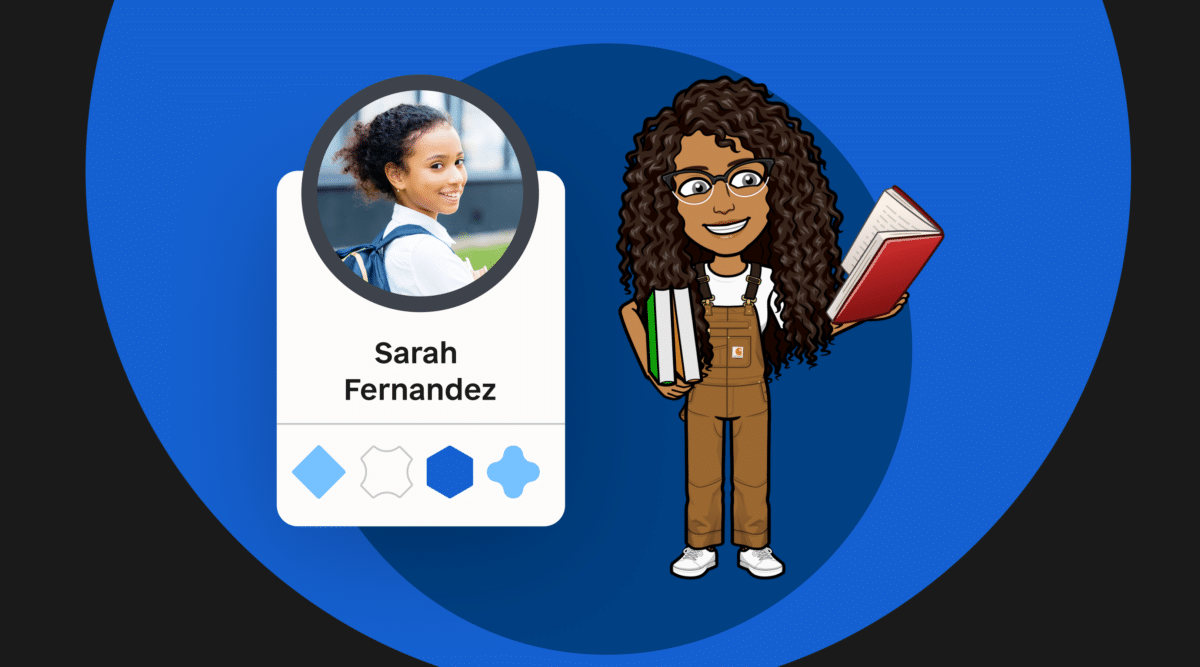
Looking for a fun, personalized, and functional way to interact with your students? Stephanie Harris, an English content coach from North Carolina, showcases the power of Bitmoji classrooms to engage students in online learning environments—and shares how to create your own! 


In my spring semester, most of the coaching conversations I had focused on ways to engage students in an entirely online environment. Teachers were worried about students they could no longer see in person, and even more worried about the ones they weren’t seeing at all. They were searching for a way to humanize online learning.

Off-the-shelf learning management systems lack the flavor, creativity, and quirkiness that make so many of our classrooms exciting and welcoming spaces for learning. By contrast, a Bitmoji classroom helps educators bring the warmth and creativity of a classroom space into the virtual world in a way that is functional and fun for students.

What is a Bitmoji Classroom?

A Bitmoji classroom is a Frankenstein’s monster of the digital world—part Hyperdoc, part virtual substitute for physical classroom space, and part slide deck on steroids. Ultimately, they link to resources that encourage independent exploration of ideas, help students stay organized and, most importantly, encourage meaningful communication between teachers and their students.

Bonus: Designing your own Bitmoji classroom allows you to showcase your own personality. For instance, my classroom has a coffee mug and a Winthrop pennant that represent me. I’ve also hidden lots of Easter eggs—for example, the radio links out to a school-appropriate playlist that students can enjoy while working. 

Benefits of Using a Virtual Classroom

Once you teach students how to interact with your virtual classroom, students can navigate independently and spend more time on their learning because they have a consistent, visually engaging place to find work. You can link your class announcements, video lessons, to-do lists, and assessments so that students know where to go and what to do. The rooms can change as needed, and even link to other rooms—think: a room to introduce a new text, or an escape room that requires students to practice skills.

Virtual classrooms can also function as choice boards. Teachers can spend time talking with students about their interests and strengths to help guide their choices. Using a virtual space allows students to click on and interact with work that is appropriate to their needs—whether it is through an extension activity or remediation support. The visual aspects of the classroom will be the same, but resources and links can take students to learning that is just right for them, helping provide students with differentiated work without their peers being aware.

How to Get Started

Start by planning the purpose of your space and how it will function for your students. Will it serve as guidance for a special project or a daily agenda? Once you have this decided, you’ll start to create your space from the walls up. You can model the space to fit your needs, whether you choose your physical classroom, the setting of a novel, a historical site, or your home office.

Once your space is built, you can add yourself using your Bitmoji. You’ll need to build your Bitmoji on your cell phone and either send the images to your computer or install the Bitmoji Extension for Chrome.

Lastly, and this is important, you’ll want to add purposeful, clickable elements which link out to resources for your students to explore. Here are some ideas:

  • Link to lesson content, texts, and Anchor Charts to help students find important information and resources connected to the topics they are learning
  • Link to Youtube videos and remediation activities to help students develop a deeper understanding of your content
  • Link to online quizzes and checks for understanding to help students practice their skills
  • Link to meditation, yoga, coloring pages or feeling charts to focus on students’ social and emotional learning

It may all seem a bit overwhelming at first, but I’ve created a step-by-step guide to help. It includes screenshots and text that will have you building in no time.

These directions can work for any imaginable space, with or without your Bitmoji!

Final Note

As we look to the fall and anticipate continuing with some elements of virtual instruction, I hope that you will consider Bitmoji classrooms as another tool in your toolbox, one that adds personality and encourages students to access and engage with the content of your lessons!

Bonus resources: Here are some tips and things to keep in mind when getting started with Bitmoji classrooms.


About Our Guest Blogger

Stephanie Harris is an English content coach for Iredell-Statesville Schools in North Carolina and teaches for their virtual school program. Prior to becoming a content coach, she served students as a high school English teacher. She speaks fluent Canvas and is always looking for new ways to improve instruction and engage students using technology and diverse resources.

SchoolStatus logo.
SchoolStatus
SchoolStatus connects educators and families around the topics that matter most. The company partners with K–12 districts to improve attendance, engage families, and build trust so students can succeed. A recognized leader in data-driven attendance and family engagement solutions, SchoolStatus enables districts and educators to engage families with relevant, timely communications and proactive support on important topics including absenteeism, literacy progress, and overall student readiness. Today, SchoolStatus supports districts in all 50 states and serves more than 22 million students nationwide as a trusted partner in driving better student outcomes.
Stay Connected

News, articles, and tips for meeting your district’s goals—delivered to your inbox.

More Resources

EdTech Breakthrough Awards 2025 logo
GSV 150 2026 logo
Cool Tool Awards
Tech & Learning Awards of Excellence 2025 Winner Badge for SchoolStatus
2025 District Administration Top EdTech Products Awards logo
Badge, Supes' Choice
G2 Badge Users Love Us
G2 Winter 2026 Badge for Best Results
G2 Winter 2026 Badge for Leader in Education Technology
G2 Winter 2026 Badge for Easiest To Do Business With
Document icon

Ready to learn more about our suite of solutions?

Request a Demo
Logo

Want Updates?

Stay connected with news, articles, and tips delivered to your inbox.

Stay in the Loop

Facebook LinkedIn YouTube

Solutions

  • Attendance Improvement
  • Literacy Progress
  • Family Engagement
  • MTSS Data
  • Actionable Insights
  • Administrative Efficiency
  • Educator Effectiveness

Who We're For

  • Superintendents
  • District Leaders
  • School Leaders
  • Educators & Staff
  • Families

Products

  • Products Overview
  • SchoolStatus Attend
  • SchoolStatus Connect
  • SchoolStatus Literacy
  • SchoolStatus Boost
  • SchoolStatus Forms & Flows
  • SchoolStatus Sites

Company

  • About SchoolStatus
  • Careers
  • Contact

Resources

  • Resource Library
  • News & Press
  • Blog
  • Case Studies
  • eBooks & Whitepapers
  • Webinars
  • Help Center
  • Customer Support
  • Website Terms of Use
  • SchoolStatus Privacy Policy
  • Accessibility
  • Sitemap
© 2026 SchoolStatus. All rights reserved